
3D virtual walkthroughs
Give people a way to explore the unit, room by room.
- Furnished unit model
- Interactive room navigation
- Agreed model and presentation files
3D visualization for property developers
3D virtual walkthroughs and dollhouse renders that help people see the layout, explore the rooms and picture the space.
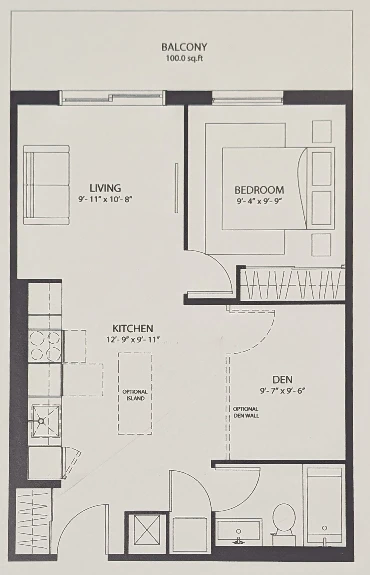
From a 2D floor plan to a space people can explore.
The space. From every perspective.
For property developers presenting condos, apartments, townhomes and new homes. Start with the views your project needs.
Give people a way to explore the unit, room by room.
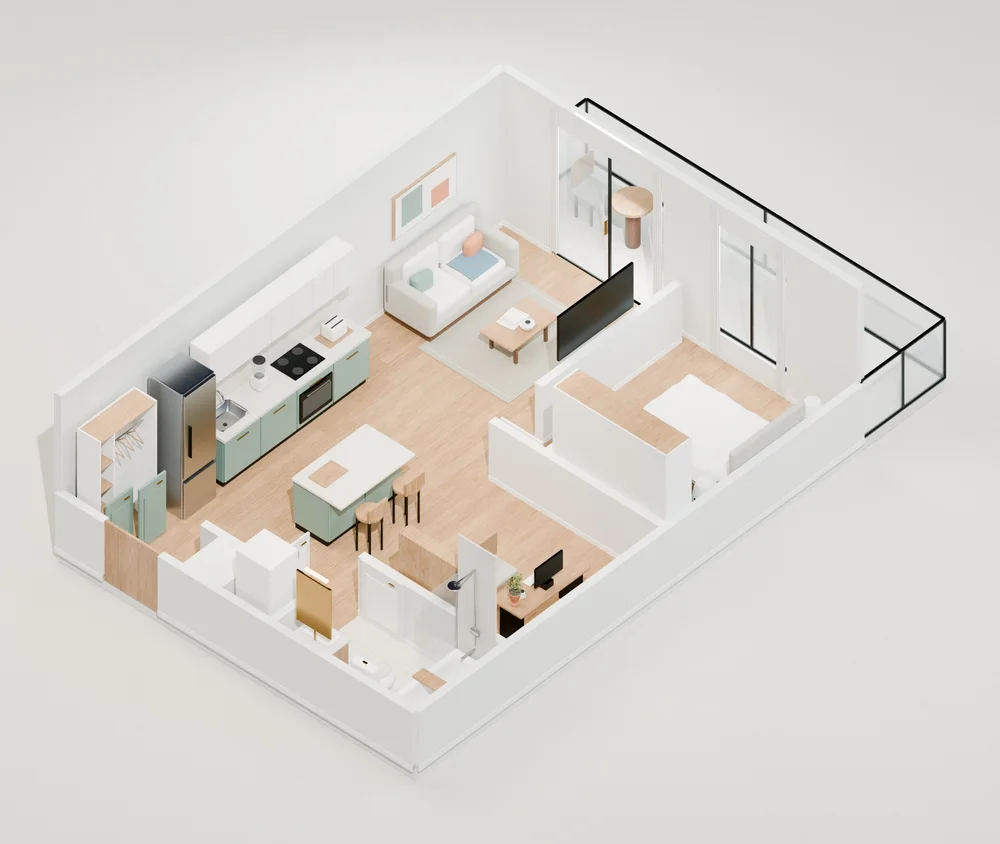
Reveal the entire layout in one clear, furnished overview.
Put your agreed render library within reach for presentations.
From flat plans to a fuller picture
Bring a 2D schematic to life with a detailed, furnished unit. Help buyers understand the rooms, the proportions and how everything fits together.
From ready plans to a first complete delivery.
First complete single-unit delivery after usable plans, required details and scope approval. Turnaround & scope details.
Interior views with furniture, materials and lighting that make the unit easier to picture.
A complete furnished unit model and dollhouse overview. See the whole layout, not just a single room.
An interactive walkthrough and web-compatible GLB model, alongside the agreed still images.
From your plans to their perspective
Turn the approved layout into a presentation your team can use, from a first look at the whole unit to a closer look inside.
Share the layout, dimensions and approved finish direction. We agree the unit, views and delivery scope.
A furnished dollhouse view shows how the rooms connect and where each space sits.
Move through the virtual unit to explore the rooms, proportions and agreed presentation details.
Use the delivered visuals with your team, or add headset setup for a compatible VR presentation.
VR headset setup
We also set up virtual reality headsets with your renders, organized into a presentation your team can open and guide people through.
We review your headset, available renders and intended experience, then confirm compatible formats and any preparation needed.
We load and organize all renders included in the agreed scope, with clear project and unit labels so your team can find the right view.
We check the agreed playback and navigation on the selected setup, then show your team how to open the content and use it in a presentation.
An additional service
Bring existing renders or pair headset setup with a new visualization. We agree the device, content format, software, hardware costs and setup schedule before work begins.
A still image, panoramic view and interactive model offer different experiences. We confirm what your files and headset can support.
Discuss VR headset setupA few things worth knowing
Property developers and the teams presenting residential projects, including condos, rental apartments, townhomes and new homes. We can begin with one unit or scope a set of layouts. Tell us which spaces you need to show and how you plan to present them.
A virtual walkthrough lets someone explore the unit from inside and move between rooms. A dollhouse render shows the layout from above with the outer structure opened up, making room connections easier to see. They can be delivered together or scoped around the views you need.
First complete single-unit delivery after usable plans, required details and scope approval. Turnaround & scope details. It covers the agreed single-unit visualization package: a furnished model, detailed stills, a dollhouse overview and an interactive walkthrough. Revisions, multiple units and VR headset setup have separately agreed schedules.
A readable floor plan with usable dimensions, relevant heights and openings, plus any approved furniture and finish direction. We confirm missing details, required rooms, camera views and file handoff before starting. See the visualization package.
Yes, headset setup can be scoped around existing content. We first review the files, your rights to use them and the headset or presentation software. Some content may need conversion or additional preparation; that work and any software or hardware cost are agreed before setup.
Not automatically. A still render can be viewed as an image, while panoramic content and interactive models need compatible viewing software and devices. We confirm the intended experience before quoting. The sample on this site demonstrates a browser walkthrough; it is not a demonstration of headset compatibility.
The complete single-unit package includes an agreed GLB model, interactive walkthrough, dollhouse overview and still images. We confirm image count, file specifications, usage rights and review rounds in writing. Headset setup adds the agreed content library, playback checks and operating handoff; later content updates are scoped separately.
Let's make the next step clear
A virtual walkthrough, a dollhouse render, or VR headsets prepared for your next presentation. Tell us about the space you want to show.
Individually scoped. Built around your development.